Which of the website builders-WordPress, Wix, or Squarespace-is the best in 2026?

One of the most important decisions you will make when setting up a website is selecting the right website platform. If you want to start a blog, a business website, an online portfolio, an affiliate website, or an e-commerce store, the platform you choose will affect your website’s design, SEO performance, flexibility, cost, and capacity for growth.
WordPress, Wix, and Squarespace are among the most popular choices. Each platform has its own advantages and disadvantages, and no single solution suits everyone.
It depends on which of the three—WordPress, Wix, or Squarespace—is best for you.
It all comes down to your objectives. WordPress typically provides the most flexibility and customization, Wix is ideal for beginners who want a simple drag-and-drop approach, and Squarespace is especially appealing to those who value professional design and simplicity.
The following guide looks at WordPress, Wix, and Squarespace, examining their features, pricing, advantages and disadvantages, SEO capabilities, ease of use, and the kind of user who will find each platform most suitable.
What Is WordPress?
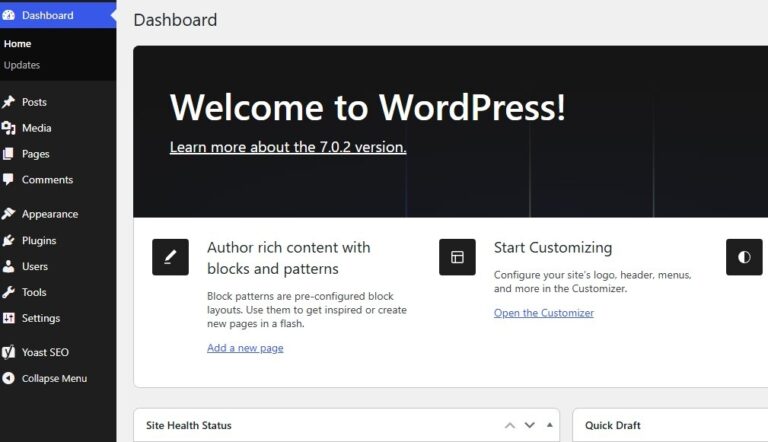
WordPress is a free platform that allows users to create and manage websites.
It is different from website builders such as Wix and Squarespace in that the version that you host yourself, the one available on WordPress.org, gives you greater control over your website, your hosting, the designs, the add-ons, and the files.
WordPress can create almost any kind of website, such as blogs, business websites, news sites, membership sites, online shops, portfolios, and large-scale websites.
According to WordPress.org, the platform powers over 43 percent of websites on the Web and offers thousands of plugins and themes to enhance website functionality.
Pros of WordPress
- Extremely flexible
- Thousands of themes and plugins
- Excellent for blogging
- Strong SEO customization options
- Highly customizable
- Suitable for small websites and large projects
- You control your website and data
- Can be used for e-commerce
- Large global community
- Excellent long-term scalability
Cons of WordPress
- Requires more setup than Wix or Squarespace
- Self-hosted WordPress requires separate hosting
- You are responsible for updates and maintenance
- Some premium themes and plugins cost extra
- Beginners may experience a learning curve
- Plugins that are not kept up to date can cause security or compatibility problems.
WordPress is very appealing if you want full control of your website and expect it to grow considerably over time.
What Is Wix?

Wix is a one-stop platform for building websites, designed for people who are new to the subject.
With Wix, you don’t have to worry about most of the technical setup, since they handle hosting and many website management tasks.
The drag-and-drop editor lets users create websites without writing code, and Wix also provides templates, AI tools to help build sites, marketing features, and the option to set up an online store.
Wix offers a free option as well as several paid plans; according to its official pricing page, paid plans include custom domains, hosting, marketing tools, payments, e-commerce, and scheduling, with exact features depending on the plan.
Pros of Wix
- Very beginner-friendly
- Drag-and-drop website editor
- No coding required for basic websites
- Hosting included
- Large selection of templates
- AI website creation tools
- Built-in business features
- E-commerce capabilities
- Marketing and SEO tools
- Free option available
Cons of Wix
- Less flexible than self-hosted WordPress
- Some advanced features require higher-priced plans
- Free websites have limitations
- Premium pricing varies by location and billing period
- Moving a website away from Wix can be more complicated than moving a self-hosted WordPress site
- Each premium plan applies to an individual website
If you want to create a sophisticated website quickly without handling hosting, plugins, or technical maintenance, Wix is an excellent option.
What Is Squarespace?
Squarespace is a one-stop website platform known for its professionally designed templates and simple website-building process.
Photographers, designers, creative professionals, consultants, restaurants, and small businesses that want a visually strong website often prefer it.
Squarespace provides a one-stop platform for website building, hosting, domain names, SEO, analytics, and online selling. Its rental plans include tools for building websites, accepting payments, selling products and services, SEO, analytics, and customer support.
Pros of Squarespace
- Professional-looking templates
- Excellent design quality
- Easy website editing
- Hosting included
- Built-in SEO tools
- E-commerce support
- Blogging capabilities
- Analytics included
- Good choice for portfolios
- Strong branding capabilities
Cons of Squarespace
- Offers fewer customization options than WordPress
- Has fewer add-ons compared to WordPress
- Can become expensive as you add business requirements
- Some advanced features are restricted to higher plans
- People who want a lot of technical customization might find it limiting
Squarespace is an excellent choice for those who value appearance and want a one-stop solution without managing the technical infrastructure themselves.
Ease of use: WordPress, Wix, or Squarespace?
When ease of use is your top concern, Wix and Squarespace are usually better than self-hosted WordPress.
Wix is based on visual editing, which lets beginners build pages by adding elements and arranging them.
Squarespace places a strong emphasis on simplicity and design, offering structured editing tools along with professionally designed templates.
WordPress is now much simpler to use, thanks to the block editor and new editing tools. However, self-hosted WordPress offers many more options, meaning there is more to learn and manage.
Winner for beginners: Wix
Runner-up: Squarespace
Best for experienced users: WordPress
WordPress vs. Wix vs. Squarespace: SEO
If you want your website to gain organic traffic from Google and the other search engines, then SEO is very important.
WordPress is excellent for SEO because you can manage various aspects of your website through design, add-ons, settings, and custom code.
WordPress includes features that are good for SEO, and there are add-ons available to help you handle metadata, sitemaps, structured data, redirects, and other SEO-related tasks.
Wix includes SEO tools as part of its offering so that users can improve their websites even if they have only a little technical knowledge.
The SEO tools are included as part of the Squarespace platform, which means you can manage key SEO settings without additional plugins.
Remember that the platform alone doesn’t decide whether a website ranks well.
The following factors affect organic search performance: content quality, keyword targeting, search intent, website speed, backlinks, technical SEO, internal linking, user experience, and competition.
Winner for advanced SEO control: WordPress
Best for beginner SEO: Wix
Best for straightforward SEO: Squarespace
WordPress vs. Wix vs. Squarespace: E-Commerce
All three platforms can be used to sell products or services online, but they do so in different ways. With tools such as WooCommerce and other add-ons, WordPress can be turned into a robust online shop. This offers a lot of flexibility, although it requires more setup and management.
Wix includes e-commerce features on the relevant plans, enabling users to handle products, payments, and other business aspects all within the platform.
Squarespace also lets you sell products and services; the commerce features available depend on the subscription level.
The prices of WordPress, Wix, and Squarespace
Another important factor is price.
WordPress is open source, but to run a self-hosted WordPress site, you will need web hosting and a domain. You can also decide to buy premium themes, plugins, security services, or professional support.
Wix offers a free plan, but connecting a custom domain and accessing additional business features requires a paid plan. Wix’s current pricing varies depending on location and billing period.
Squarespace mainly makes its income from paid subscriptions, with plans offering different levels of website, commerce, and business features. The company offers billing on a monthly or annual basis, and annual plans offer savings compared to monthly billing.
Rather than choosing a platform just because it has the lowest initial price, consider the total cost of ownership.
For WordPress, hosting is included, together with domain registration, premium plugins and themes, maintenance, and security.
With Wix and Squarespace, consider monthly or annual subscription fees, domain costs, any transaction fees, and the cost of upgrades as your website grows.
What platform is best for blogging?
WordPress is generally the best option if your main aim is blogging.
WordPress is built around publishing and includes a comprehensive content management system. You can create posts, categories, tags, media libraries, author accounts, scheduled content, and custom content structures.
Because of this, WordPress becomes very appealing to those who intend to publish hundreds or thousands of articles.
Wix and Squarespace also offer blogging tools and are great options for small blogs where simplicity and good design matter more than extensive customization.
Winner for serious blogging: WordPress
What platform is best for small businesses?
All three platforms can suit a small business.
Wix is appealing when you want to set up your website quickly and manage everything from a single dashboard.
Squarespace is best suited to businesses where visual presentation and branding are particularly important.
WordPress is more appropriate for businesses that need advanced customization, a large number of integrations, sophisticated SEO, or one that might become more complicated over time.
WordPress vs. Wix vs. Squarespace Comparison
| Feature | WordPress | Wix | Squarespace |
| Ease of use | Moderate | Excellent | Excellent |
| Customization | Excellent | Very good | Very good |
| SEO control | Excellent | Very good | Very good |
| Blogging | Excellent | Good | Very good |
| Templates/design | Excellent | Excellent | Excellent |
| E-commerce | Excellent | Very good | Very good |
| Plugins/extensions | Excellent | Good | Good |
| Hosting | Separate with self-hosted version | Included | Included |
| Maintenance | More responsibility | Mostly managed | Mostly managed |
| Scalability | Excellent | Very good | Very good |
| Best for | Flexibility | Beginners | Design-focused sites |
Which of WordPress, Wix, or Squarespace is the best?
The most suitable platform depends on your specific requirements.
Choose WordPress if:
- You want maximum control
- SEO is a major priority
- You plan to publish lots of content
- You want extensive customization
- You plan to build a large website
- You want access to thousands of plugins
- You are comfortable learning some technical skills
you can choose Wix if:
- You are a complete beginner
- You want to launch quickly
- You prefer drag-and-drop editing
- You don’t want to manage hosting
- You want built-in business tools
- You want an easy way to create a small business website
Choose Squarespace if:
- Design is extremely important
- You want a professional-looking portfolio
- You are a creative professional
- You want an easy all-in-one platform
- You want integrated website and commerce tools
- You prefer simplicity over extensive customization
Final Verdict
Then comes the question of whether WordPress, Wix, or Squarespace is the best.
For most users who want maximum flexibility and long-term control, WordPress is the overall winner. Its open-source structure, extensive plugin ecosystem, strong content management capabilities, and customization options make it suitable for everything from simple blogs to complex business websites.
However, WordPress is not automatically the best choice for everyone.
Wix is a better choice for people who are new to this and want to set up a website quickly with as little technical work as possible, thanks to its drag-and-drop editor, template variety, built-in hosting, AI tools, and business features.
Squarespace is well-suited for people focused on design who want a well-presented website without a complicated technical setup; it appeals to creatives and small businesses because of its templates and the included SEO, analytics, and commerce features.
Ultimately, choose WordPress for flexibility and SEO control, Wix for simplicity, and Squarespace for design and ease of use.
Before making your final decision, consider what your website needs today and what you expect it to become in the next three to five years. The best website platform fits both your current skill level and your long-term goals.