How to Start a WordPress Blog and Make Money With Google AdSense: Step-by-Step Guide

Starting a WordPress blog is an easy way to begin building an online business. You can make a website about nearly any topic, share helpful content, attract visitors from search engines and social media, and later earn money through advertising.
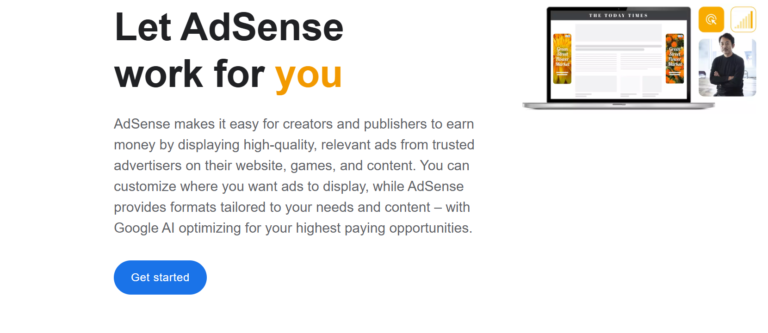
Google AdSense is a popular way for bloggers to make money. It allows you to show ads on your website and earn money when visitors click or interact with them.
But making money with AdSense requires more than just creating a website and placing ads. You need a professional-looking site, useful content, regular visitors, a good user experience, and compliance with Google’s rules.
This guide will show you, step by step, how to start a WordPress blog and work toward making money with Google AdSense.

Step 1: Choose a Profitable Blog Niche
The first step is choosing what your blog will be about.
A niche is the specific subject or category your website focuses on. Your niche should ideally combine three things:
- Something you can consistently write about
- Topics people are searching for
- Potential opportunities for monetization
Examples of blog niches include:
- Personal finance
- Technology
- Digital marketing
- Travel
- Education
- Home improvement
- Career development
- Business
- Food and cooking
- Personal development
- Hobbies
- Automotive
- Real estate
Don’t choose a topic only because you think it will earn money from ads. If you don’t care about or know much about the subject, it will be hard to keep making useful content. Before picking your niche, check what questions people are asking, which websites already appear for those topics, and if you can provide something useful or different. Or unique.
Step 2: Choose a Domain Name
Your domain name is your website’s address on the internet.
For example:
YourBlogName.com
Choose a name that is:
- Easy to remember
- Easy to spell
- Relatively short
- Relevant to your brand
- Flexible enough to allow your website to grow
Avoid hard-to-spell words, too many hyphens, or a name that is too narrow if you want to write about related topics later.
If possible, choose a reputable domain extension such as .com, although other legitimate extensions can also work depending on your audience and brand.
Step 3: Buy Web Hosting
After choosing your domain name, you need web hosting.
Web hostingWeb hosting keeps your website’s files and makes them available to visitors. When choosing hosting, look for:
- Good uptime
- Reliable customer support
- SSL support
- WordPress compatibility
- Easy backups
- Good website performance
- Sufficient storage and bandwidth
- Simple WordPress installation
Don’t choose the cheapest hosting plan just because it’s cheap. Poor hosting can make your site slow or cause issues, which makes visitors unhappy.
Step 4: Install WordPress
Once you have hosting, install WordPress.
Many hosting providers offer an automated WordPress installation process. You will typically provide your domain, administrator username, password, and other basic information.
After installation, log in to your WordPress dashboard.
Your WordPress dashboard is where you can manage:
- Posts
- Pages
- Themes
- Plugins
- Media
- Menus
- Comments
- Website settings
Use a strong, unique password for your admin account, and keep WordPress and your plugins up to date.
Step 5: Choose a Professional WordPress Theme
Your website should look professional, clean, and easy to navigate.
Choose a responsive theme that works properly on:
- Smartphones
- Tablets
- Laptops
- Desktop computers
Avoid themes with too many animations, pop-ups, or complicated layouts that might distract your visitors.
Use clear headings, sufficient spacing, easy-to-read fonts, and a simple navigation menu.
Keep in mind, your blog’s main purpose is to help visitors read your content. The design should make it easier, not get in the way.
Step 6: Create Important Website Pages
Before applying for AdSense, create the essential pages that help visitors understand your website and business.
These may include:
About Page
Explain who operates the website and what visitors can expect to find.
Contact Page
Give visitors a way to contact you.
Privacy Policy
Explain how your website handles visitor information and cookies, where applicable.
Terms and Conditions
Depending on your website and jurisdiction, you may also want terms explaining how your website and content may be used.
Be sure to clearly let your readers know if you have affiliate links or sponsored content.
These pages can help establish transparency and make your website look more complete and professional.
Step 7: Publish High-Quality Content
Content is the foundation of a successful blog.
Don’t expect to make much money right away if your website only has a few short articles.
Instead, develop useful, original content that genuinely helps your target audience.
For example, if you operate a personal finance blog, you could create articles such as:
- How to Create a Monthly Budget
- How to Reduce Everyday Expenses
- How to Build an Emergency Fund
- Beginner’s Guide to Investing
- How to Improve Your Credit Score
Each article should answer the reader’s question thoroughly.
Use headings, subheadings, lists, examples, and images when needed, along with clear explanations, to make your content easy to read. Don’t copy articles from other sites. Your content should be original and provide real value.
Step 8: Optimize Your Articles for Search Engines
Search engine optimization, commonly called SEO, can help people discover your content through search engines.
Start with basic SEO principles.
Research what your audience searches for and create articles that directly address those searches.
Use your main topic naturally in:
- The page title
- Introduction
- Headings where appropriate
- Body content
- Image descriptions where relevant
- URL structure
Don’t force keywords into your articles in a way that sounds unnatural.
Instead, focus on answering what your readers are really looking for.
For example, if someone searches for “how to start a blog,” your article should actually provide a practical explanation of how to start one rather than repeatedly mentioning the phrase without useful information.
Step 9: Improve Your Website’s User Experience
Before applying for AdSense, make sure your website works properly.
Check that:
- Pages load reasonably quickly
- Links work
- Images display correctly
- Navigation is easy
- Your website works on mobile devices
- There are no excessive pop-ups
- Content is easy to read
- Important information is easy to find
When someone visits your website, they should quickly understand what it’s about.
Step 10: Start Building Website Traffic
AdSense earnings depend heavily on your website’s ability to attract visitors.
There are several ways to build traffic.
Search Engines
Publish useful, SEO-focused content to attract organic traffic over time.
Social Media
Share your articles on relevant social media platforms where your audience spends time.
Email Marketing
Create an email list and encourage readers to subscribe so you can notify them when you publish new content.
Communities
Participate genuinely in relevant online communities. Provide useful answers rather than simply dropping links to your website.
Networking
Collaborating with other website owners and creators can help expose your content to new audiences.
DDon’tbuy low-quality visitors to increase your numbers. Visitor quality matters, and fake or artificial activity can cause serious monetization problems.
Step 11: Create a Google AdSense Account
Once your website is established and you have useful content, you can apply for Google AdSense.
Create or use your Google account and sign up for AdSense.
You will need to provide information such as:
- Your website
- Your contact details
- Payment information
- Required account information
Google will review your website and determine whether it meets its eligibility and program requirements.
Just having a website doesn’t mean you’ll automatically get approved.
Make sure your site follows Google’s publisher policies before applying.
Step 12: Connect AdSense to Your WordPress Website
After your AdSense account is approved, you can connect it to your WordPress website.
Google provides methods for displaying advertisements, including automated options.
If you use automated ads, Google can determine suitable ad placements based on your site’s pages and available placements.
You can also use compatible WordPress tools or manually implement ad code where appropriate.
Always follow Google’s implementation requirements and policies.
Step 13: Place Ads Without Ruining Your Website
A common mistake for beginners is adding too many ads to their site.
Remember that your visitors came to your website for information.
If you put ads everywhere, visitors might get annoyed and leave.
It’s better to balance your content and ads.
Your main goal should be to give visitors a good experience. Ads should support your site, not take over.
Step 14: Monitor Your AdSense Performance
Once advertisements are running, monitor your results.
Important metrics can include:
- Page views
- Ad impressions
- Click-through rate
- Estimated earnings
- Cost-related metrics provided by AdSense
- Revenue trends
DDon’tworry if you earn very little at first.
New websites usually have little traffic, so ad revenue will likely be low at first.
As your website attracts more qualified visitors and publishes more useful content, your earning potential can increase.
Step 15: Continue Publishing and Improving
The most important thing is consistency.
Do not expect to become successful after publishing five articles.
Blogging takes time and is a long-term effort.
Create a realistic publishing schedule and continually improve your existing content.
Look at which articles attract visitors and identify opportunities to make them more useful.
You can also expand successful topics into related articles and build content clusters around important subjects.
For example, a website about digital marketing could create separate guides covering SEO, social media marketing, email marketing, online advertising, content marketing, and analytics.
How Much Can You Make With Google AdSense?
There is no fixed amount that every blogger will earn.
Your revenue can vary depending on factors such as:
- Number of visitors
- Visitor location
- Topic and industry
- Ad demand
- Device type
- Seasonality
- Content quality
- User engagement
- Ad placements
A website receiving thousands of visitors per month may earn considerably less than another website with similar traffic if the audiences, topics, and advertising demand are different.
So, be careful with websites that promise guaranteed AdSense earnings.
Final Thoughts
Starting a WordPress blog and making money with Google AdSense takes time. It’s not a get-rich-quick plan.
Start by picking a clear niche, registering a fitting domain, buying reliable hosting, and creating a professional WordPress website. Then publish original, helpful content, make it easy to find on search engines, share your articles, and slowly grow your audience.
Once your website is ready, you can apply for Google AdSense and, if approved, show ads. To succeed over time, focus on your readers first. Answer real questions, make your site easy to use, follow Google’s rules, and keep improving your content and how you bring in visitors. With patience and steady work, your WordPress blog can become a valuable online asset. You can earn money through AdSense, affiliate marketing, digital products, services, and other real ways.